01 / Brief
Curiosity,
made spatial.
An interactive particle-accelerator concept built with Three.js and real-time shaders. The project uses scientific ideas as a starting point for an explorable visual experience, bringing motion, depth and interaction into the same frame.
Why it matters
This is an experimental playground rather than a commerce deliverable. It creates room to explore graphics techniques and visual intuition without presenting a creative interpretation as a validated scientific simulator.
My scope
An independently developed Three.js/WebGL concept with interactive controls, custom shader work and physics-inspired visual behaviour. It is a creative exploration, not a validated scientific instrument.
02 / Decisions
The choices behind
the experience.
- 01
Let interaction reveal the idea.
The visitor should be able to examine the spatial relationships, rather than watch a fixed piece of footage and guess what matters.
- 02
Treat motion as a material.
Particle behaviour, light and rhythm are part of the visual language—not embellishments added after the scene is built.
- 03
Be clear about the boundary.
A compelling visual explanation is not the same thing as a quantitatively accurate physics model. This project is presented as a concept.
03 / Craft
A control panel connected to a real-time scene
This is not a prerecorded particle film. The source connects a live scene to controls for particle count, beam energy, tunneling probability, bloom and colour.
- 01
Choose a preset
Start with low-energy, collider, quantum or maximum-visual modes.
- 02
Change a parameter
Adjust particles, energy, colours or effects from the control panel.
- 03
See the response
Update the particle data and shader uniforms inside the real-time render loop.
The simulation and the presentation have separate jobs.
Particle positions and velocities use typed arrays with BufferGeometry. The control module changes the particle population and visual parameters; dedicated shader materials turn those states into the scene’s light, colour and field effects.
Physics is a starting vocabulary, not a certification.
The energy controls include a proton-energy conversion with gamma and beta terms. The shaders use a bounded gamma-like factor in a radiation-intensity effect, while tunneling is implemented as a probabilistic visual event. These are inspectable mechanisms—not evidence that the whole simulation accurately reproduces accelerator physics.
Presets make complexity approachable.
Low-energy, collider, quantum and maximum-visual presets provide authored starting points. The visitor can explore a coherent state before changing individual sliders, rather than being dropped into an unexplained bank of parameters.
The final image is a pipeline.
Three.js scene rendering, orbital camera controls, custom materials and post-processing—including bloom and antialiasing—work together. The project is as much about composing a readable real-time image as it is about drawing a large number of points.
The toolkit
- Three.js & WebGL
- A real-time 3D environment rendered in the browser.
- Shader-driven visuals
- GPU-based visual effects for an interactive scientific-visualisation concept.
04 / Evidence
See the actual work.
An archived view of the concept. Open the live experiment to explore the interaction; the still is only one frame of it.
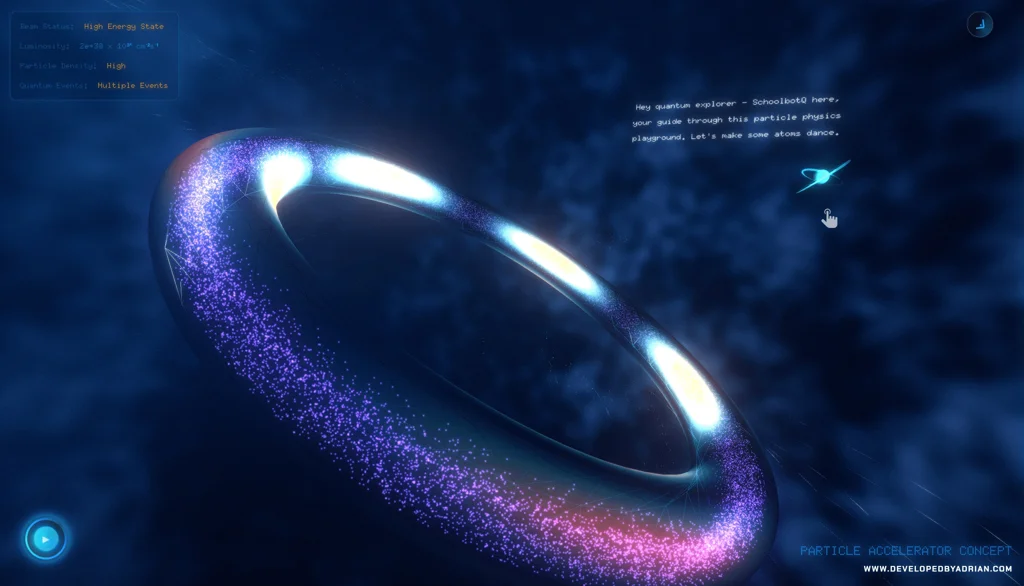
An explorable WebGL concept with source-visible controls and rendering mechanisms. No validated-physics claim or fixed frame-rate promise is made; performance depends on the device and settings.